
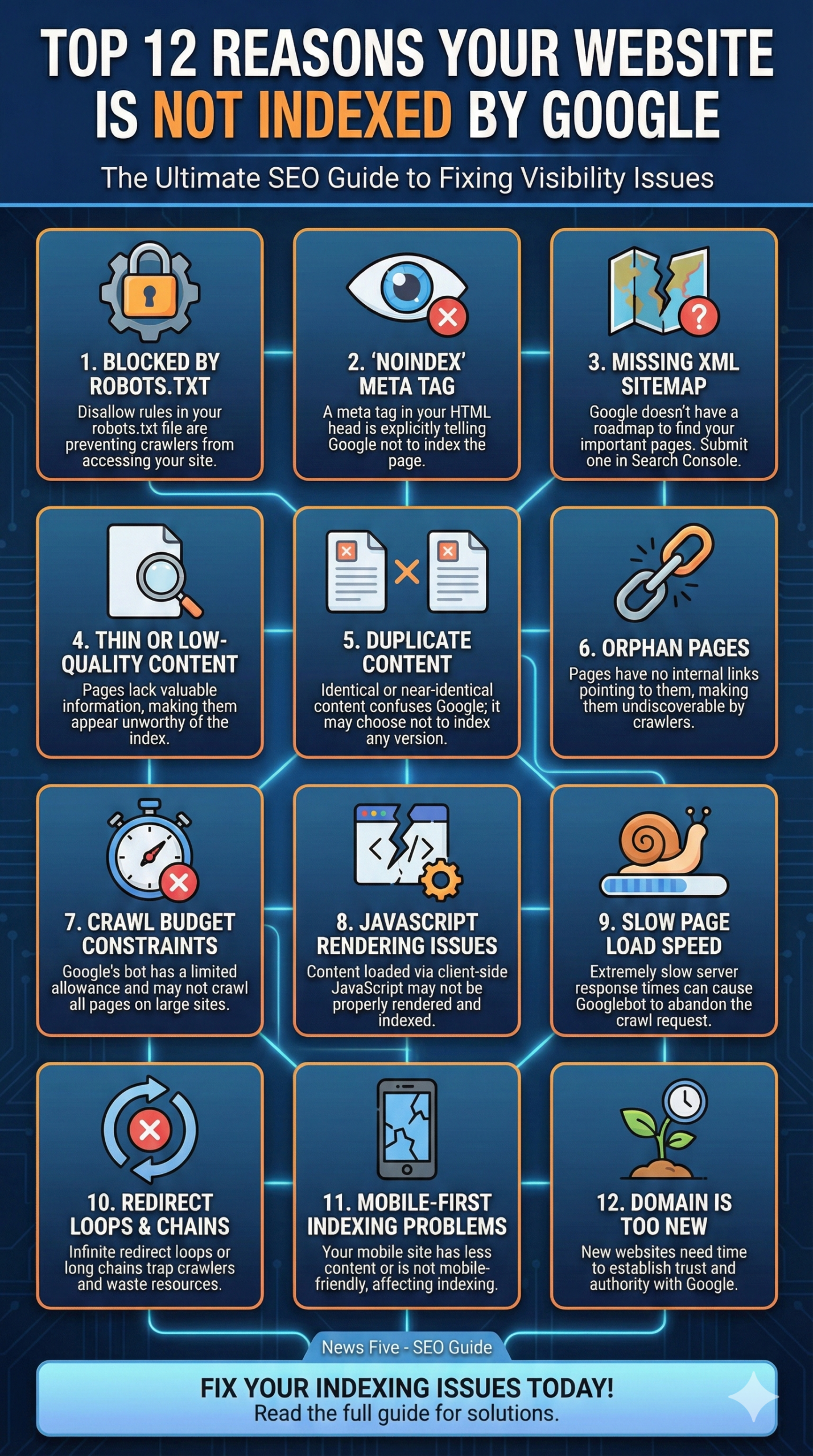
Is your website invisible? If you are struggling with a website not indexed by Google, you are missing out on vital organic traffic. Even the most beautifully designed sites can face Google indexation issues if technical SEO foundations are ignored. This guide breaks down why Google might be ignoring your pages and provides actionable steps to fix it.
1. You Are Blocking Search Engines with Robots.txt
What is it? Your robots.txt file is the first handshake between your website and Googlebot. It tells crawlers which parts of your site they can and cannot access.
How to fix it: If you accidentally include a Disallow: / directive, you are blocking the entire site. specific pages. Check your file (usually found at yourdomain.com/robots.txt) and ensure you aren’t blocking important search engine bots from crawling your content.
2. The “Noindex” Meta Tag is Active
When does this happen? Developers often use a noindex directive during the staging or development phase to keep unfinished pages off Google. Sometimes, this tag is forgotten when the site goes live.
How to check: Inspect your page source code. If you see <meta name="robots" content="noindex">, you are explicitly telling Google not to index the page. Remove this tag immediately to allow search engine indexing.
3. Your Sitemap is Missing or Malformed
What is an XML Sitemap? Think of an XML sitemap as a roadmap for Google. It lists every URL you want to be indexed. Without it, Google has to guess your site structure.
How to optimize: Submit your sitemap to Google Search Console. Ensure it is clean, free of 404 errors, and only contains the canonical versions of your URLs to facilitate efficient web crawling.
4. Thin or Low-Quality Content
Why does Google care? Google prioritizes user experience. If your pages have “thin content”—meaning very little text or value—Google may deem them unworthy of the index.
How to improve: Conduct a content audit. Beef up your pages with comprehensive, unique information. Use LSI keywords naturally to add depth and relevance, proving to Google that your page answers user queries effectively.
5. Duplicate Content Issues
What creates this issue? If multiple pages on your site feature identical or near-identical content, Google gets confused about which version to rank. To avoid “keyword cannibalization,” it may choose to index none of them.
How to fix it: Use canonical tags (rel="canonical") to point Google to the master version of the content. This consolidates your link equity and clarifies which URL should appear in search results.
6. Orphan Pages (Poor Internal Linking)
What are orphan pages? An orphan page is a page that exists on your site but has no internal links pointing to it. If Googlebot can’t follow a link to a page, it can’t discover it.
How to solve it: Improve your internal linking strategy. Ensure every important page is linked from your navigation menu, footer, or within the body content of other high-authority pages on your domain.
7. Crawl Budget Constraints
When does this affect you? For large e-commerce or enterprise sites, Google has a limited “crawl budget”—the number of pages it is willing to crawl on your site in a given timeframe.
How to manage: Optimize your crawl budget by blocking low-value parameters (like filter pages) in robots.txt and fixing broken links. This ensures Google spends its time crawling your high-value “money pages” instead of junk URLs.
8. JavaScript Rendering Issues
How does JS affect SEO? Modern websites often rely heavily on JavaScript (like React or Angular). Google is getting better at rendering JS, but it isn’t perfect. If your content is loaded via client-side scripts, Google might see an empty page.
How to test: Use the “URL Inspection Tool” in Google Search Console to see the rendered HTML. If your content is missing, consider server-side rendering or dynamic rendering to ensure the content is visible to the bot immediately.
9. Slow Page Load Speed
Why speed matters: Core Web Vitals are a ranking factor, but extreme slowness can actually prevent indexing. If your server takes too long to respond, Googlebot may abandon the crawl request.
How to speed up: Optimize images, minify CSS and JavaScript, and use a Content Delivery Network (CDN). A fast Time to First Byte (TTFB) helps ensure the crawler can access your page without timing out.
10. Redirect Loops and Chains
What is a redirect chain? This happens when Page A redirects to Page B, which redirects to Page C. Long chains or infinite loops trap the crawler and waste resources.
How to resolve: Audit your site for 301 redirects. Always redirect the old URL directly to the final destination URL to keep the path clean and preserve link juice.
11. Mobile-First Indexing Problems
What is Mobile-First? Google now predominantly uses the mobile version of your content for indexing and ranking. If your mobile site has less content than your desktop site, or hides content behind “read more” buttons that don’t load, it won’t be indexed.
How to verify: Ensure your site is fully responsive. Test your pages with Google’s Mobile-Friendly Test tool to ensure the mobile view presents the same valuable content and structured data as the desktop view.
12. Your Domain is Too New (Trust & Authority)
When to expect this? If you just launched your website yesterday, patience is key. Google takes time to discover and trust new domains, a period often referred to as the “sandbox.”
How to accelerate: Build high-quality backlinks from reputable websites to establish domain authority. Social signals and traffic can also prompt Google to index your new site faster.
The Ultimate Indexing Fix Checklist
If you have identified why your website is not indexed, use this quick checklist to resolve the issues systematically. These steps cover technical SEO, content optimization, and server-side fixes.
1. Technical SEO Solutions
- Update Robots.txt: Ensure your file reads
User-agent: *followed byAllow: /(or at least doesn’t haveDisallow: /). - Remove Noindex Tags: Scan your HTML
<head>section. If you find<meta name="robots" content="noindex">, delete it immediately. - Fix Sitemap Errors: Generate a fresh XML sitemap using a plugin like Yoast or RankMath. Ensure it is error-free and submit the new URL to Google Search Console.
- Resolve Canonical Conflicts: Ensure every page points to itself as the canonical version unless it is a deliberate duplicate.
- Check Redirects: Run a crawl using a tool like Screaming Frog to find and fix 301 redirect chains.
2. Content & Architecture Solutions
- Eliminate Thin Content: Merge short, low-value pages into one comprehensive guide or rewrite them to add substantial value (500+ words).
- Fix Orphan Pages: Add links to unindexed pages from your homepage, footer, or high-traffic blog posts.
- Optimize Internal Linking: Use descriptive anchor text to link relevant pages together, helping the crawler understand the site structure.
- Speed Up Your Site: Compress images using WebP format, minify CSS/JS, and upgrade your hosting if the server response time is too slow.
3. Verification & Authority Solutions
- Mobile-Friendly Test: Run your URL through Google’s Mobile-Friendly Test. Fix viewport issues or unreadable text.
- Build Authority: Start a link-building campaign. Guest post on relevant sites to earn backlinks, which signals trust to Google.
How to Manually Request Indexing (The Fast Fix)
Once you have applied the solutions above, do not just wait for Google to come back. You can force a recrawl using Google Search Console.
Step 1: URL Inspection Log in to Google Search Console. Paste the URL of the unindexed page into the search bar at the very top (Inspect any URL in “[suspicious link removed]”).
Step 2: Test Live URL Click the “Test Live URL” button in the top right. This checks if the page is currently accessible to Googlebot (bypassing the historical data).
Step 3: Request Indexing If the test comes back green (valid), click “Request Indexing”. This adds your page to a priority queue for crawling.
Pro Tip: Do not span the “Request Indexing” button multiple times for the same URL. It will not speed up the process and might be seen as spammy behavior.
Final Thoughts on Indexing
Fixing a website not indexed by Google is rarely about one single magic button; it is about ensuring your Technical SEO foundation is solid. Regular site audits are the best defense against de-indexing. By keeping your content high-quality, your server fast, and your directives clean, you ensure that Google—and your customers—can always find you.
Leave a Reply